 EduSchoolConnect
Run your school. Unpaid fees chase themselves.
Invoices are generated every month and parents are reminded automatically before and after the due date. Students, timetables, attendance, grades and communication with families are in the same platform, with an app for everyone.
- Automatic reminders for unpaid fees, by email and notification
- You can start in the middle of the school year
- Import your Excel lists and MASSAR files
- iOS and Android app for every user
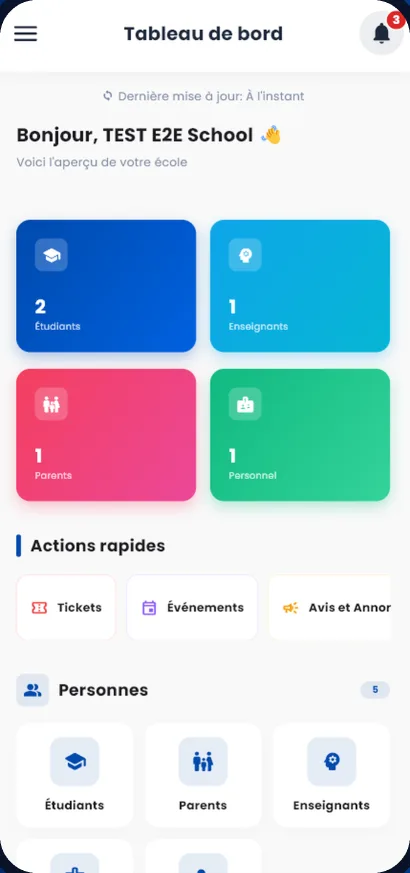
On EduSchoolConnect today
- Schools
- 15
- Students
- 1 910
- Parents
- 1 251
Private schools
Classes, reports, monthly fees and communication with families, from nursery to high school.
SchoolsTraining centres
Groups, sessions, attendance, certificates and payments tracked learner by learner.
Training centresLanguage and tutoring centres
Monthly subscriptions, level groups and teachers paid a percentage of fees.
Language and tutoring centresKnow who has paid. Reminders go out on their own.
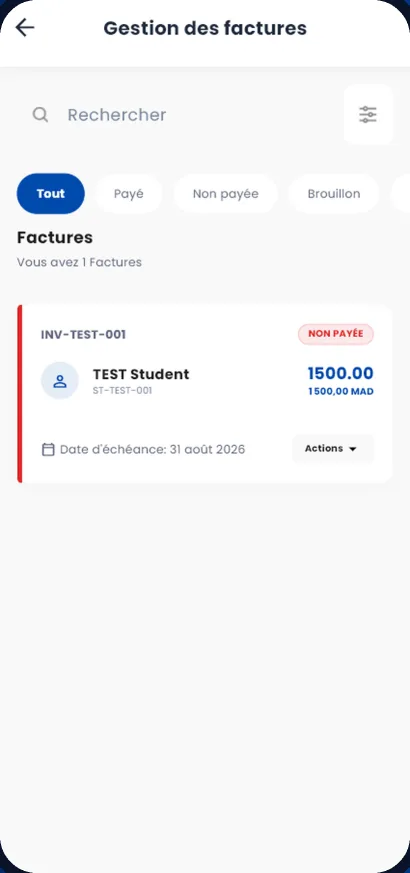
Each student has their own fees: tuition, transport or any other service in your catalogue. The month’s invoices are generated for the whole school, and families are reminded before and after the due date, without a single phone call from your team.
Reminders sent to families for an unpaid invoice
- D-77 days before
- D-33 days before
- D-1the day before
- Don the day
- Lateafter the due date
By email, phone notification and in the app.
- Monthly invoices generated automatically, with discounts and credit notes
- One payment for several children, with one receipt
- The list of unpaid balances family by family, exportable to Excel
- Each family’s account statement, and a payment notice to print
- Parents see their invoices in the app
Cash and bank
Bank accounts and cash registers, transfers, cheques deposited or bounced, cash counts.
Expenses and budgets
Suppliers, receipts, expense approval, recurring expenses and budgets.
Accounting
General ledger, trial balance, income statement, balance sheet, bank reconciliation.
Payroll
Salaries, advances, deductions, CNSS, and teachers paid a percentage of fees.
Entered once, visible everywhere.
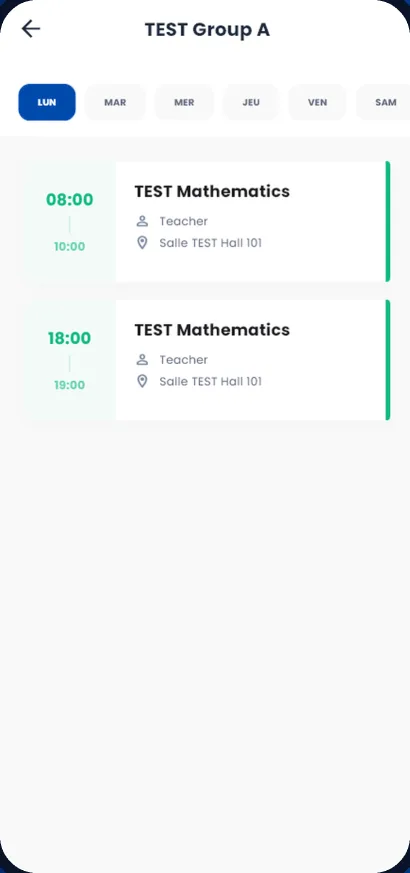
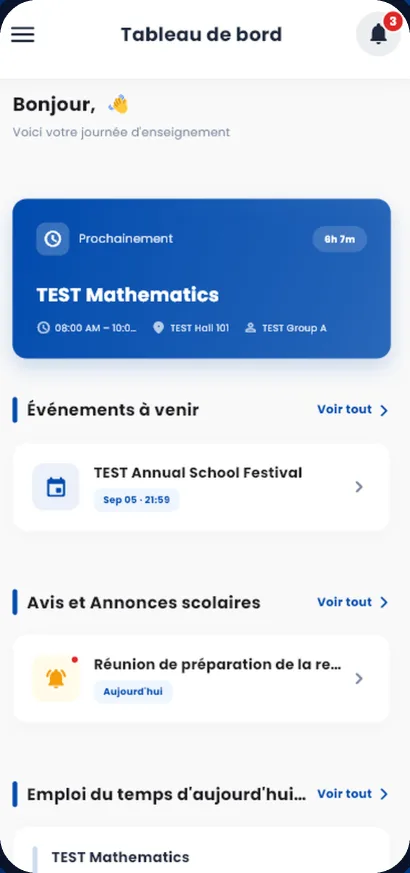
The administration organises the year on the web. Teachers, parents and students see the same information on their phones.
Attendance
Teachers take the roll for their lesson in the app. Parents are notified of an absence or a late arrival.
Attendance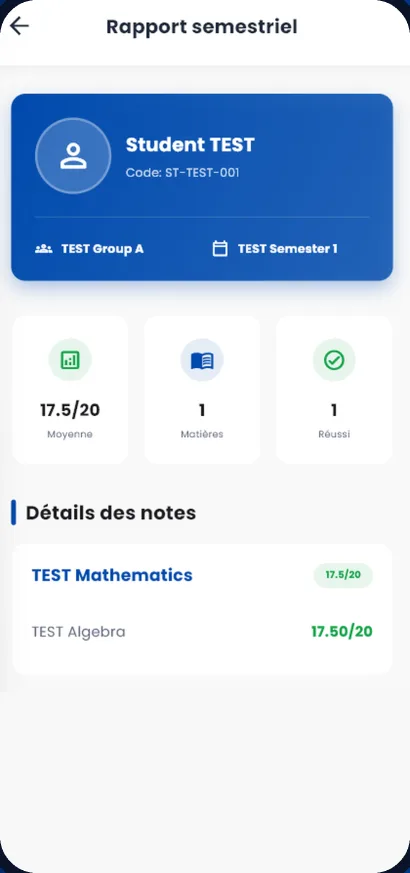
Grades and reports
Averages calculated with your coefficients, grade sheets in PDF or Excel, skills-based assessment.
Grades and reportsParents follow everything from their phone.
One official source for school information, instead of scattered messages.
- Each child’s homework, timetable and grades
- Absences and late arrivals reported the same day
- Notices, announcements and school events
- The family’s invoices and account statement
- Requests to the school, with the reply tracked
- Photos of school life, according to each family’s consent
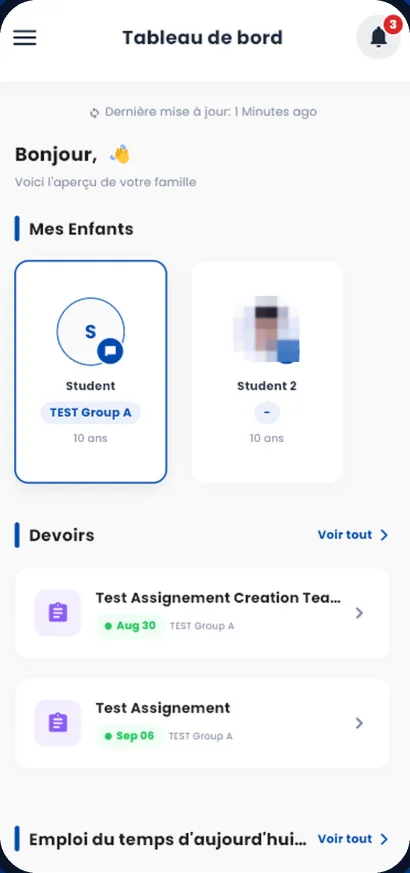
The web to manage, the app to follow.
Management and administration work on the web, where all the settings are. In the app, everyone sees what their role allows.
Management
- Students, teachers, parents and staff at a glance
- Invoices, unpaid balances and cash also on the phone
- Family requests, leave and team tasks
Teacher
- Next lesson, room and class
- Roll call, lesson sheets and homework
- Exams and grades for their classes
Parent
- Each child: homework, timetable, grades
- Absences, notices and events
- The family’s invoices
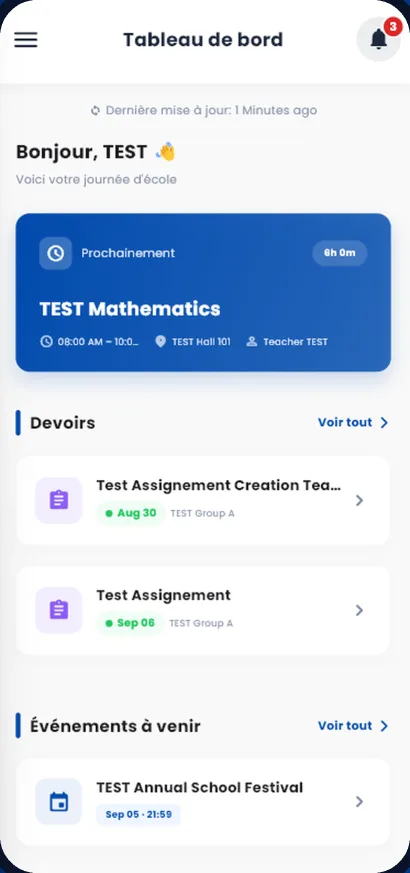
Student
- Next lesson and timetable
- Homework and online courses
- Grades and reports
Everything that keeps the school running.
- Online pre-registrationFamilies submit their application, you follow each request.
- Notices and eventsSchool announcements, event and holiday reminders.
- School transportRoutes, stops, vehicles, drivers and students per route.
- Homework and online coursesHomework with a due date, online courses and lessons.
- School pick-upParents say they have arrived, the class is told.
- LibraryCatalogue, loans and returns.
- Staff leaveRequests, leave types and approval.
- Learning stylesKolb and multiple intelligences tests.
- School certificatesGenerated as PDF from the student’s record.
- Team tasksList or board, with reminders before the deadline.
- Roles and permissionsEveryone only accesses what you decide.
- Lost and foundPhotos of found items, visible to families.
You can start in the middle of the year.
No need to wait for the new school year. Your students, classes and fees pick up where you are.
Your data is imported
Students, parents, teachers, classes, subjects and timetables, from your Excel or MASSAR files. Our team can handle the data import: we discuss it during the demo.
You choose the starting month
Each student’s fees start in the month you choose. Amounts already owed can be added separately.
Everyone gets their access
Teachers, parents and students log in on the web or in the app with the accounts created by the school.
Built for Moroccan schools.
Moroccan private schools work with MASSAR, CNSS and families who read French or Arabic. EduSchoolConnect takes this into account.
MASSAR compatibility (French)- MASSAR filesImport your students from MASSAR files and prepare your grades, without connecting to your MASSAR account.
- Payroll with CNSSContributions are included in the salary calculation.
- French, Arabic and EnglishEach user chooses the language of their interface, on the web and in the app.
Frequently asked questions
How do the reminders for unpaid fees work?
For every unpaid invoice, parents automatically receive a reminder 7 days, 3 days and 1 day before the due date, on the day, then after the due date, by email, phone notification and in the app. Your team can see the list of unpaid balances, family by family, at any time.
Can we start in the middle of the school year?
Yes. Your data is imported from your Excel or MASSAR files, and you choose the month from which each student’s fees are invoiced. Our team can handle the data import; we discuss it during the demo.
How much does EduSchoolConnect cost?
A monthly subscription based on the number of students. The price list is public on the Pricing page.
Do we need to install anything?
Not for the administration: the platform runs in the browser. Teachers, parents and students can also use the iOS and Android app.
Can parents pay online?
Not yet. The school records the payments it receives (cash, cheque, transfer), and parents see their invoices and their status in the app.
Who sees what data?
Each user only sees what their role allows: parents only see their own children, and you can create custom roles for your staff. Connections are encrypted (HTTPS).
See EduSchoolConnect with your own classes.
A demo tailored to your school, with no commitment. We answer your questions about your fees, your classes and moving your existing data.
Or contact us: +212 664-484584 · [email protected]